ASCII art generator for logos
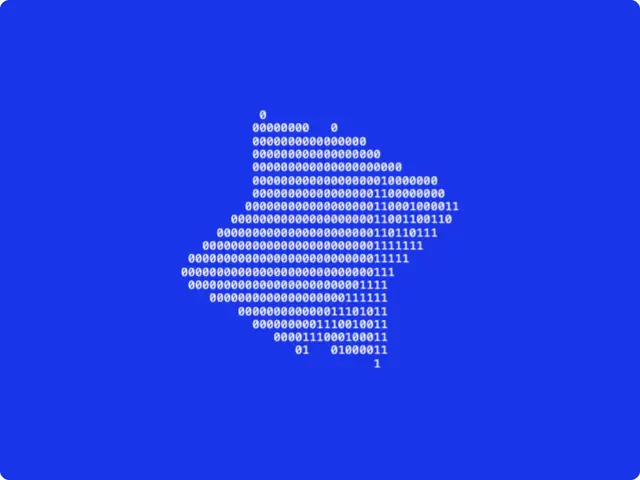
Import a logo, extrude it in 3D and draw it in ASCII characters. It spins on its own or follows your mouse. Move your pointer over it.
Get this tool
Opens Blueprint with this request. Send it as is and you get your own copy of this tool, without spending credits:
My logo extruded in 3D and drawn in ASCII characters, spinning or following the mouse
Free account, no credit card. Try every control on this page; export and keep the tool from your account.
Prefer your own coding agent? Build it with Claude Code, Codex or Cursor: connect your agent.
Presets
- Terminal
- Paper print
- Blocks
- Deep extrude
4 versions made with ASCII Logo Extrude
The tool’s own output, from the same input as the version above: each of its presets, then other seeds. Every image comes straight from the tool.
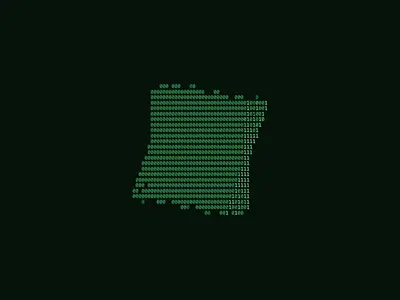
Terminal preset 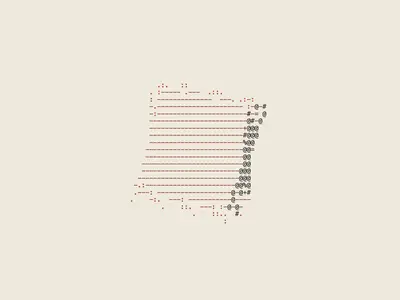
Paper print preset 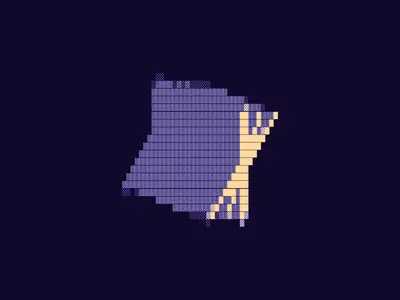
Blocks preset 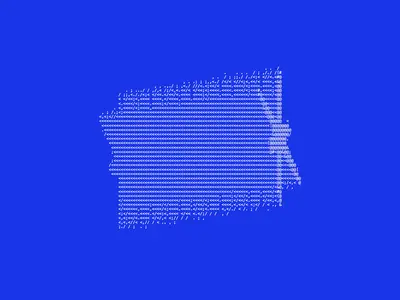
Deep extrude preset
Try the controls
Every slider, preset and option works here, without an account. To export or keep the tool, create a free account.
A short history of ASCII art
ASCII is the character set computers have shared since the 1960s: letters, digits, punctuation, 95 printable characters in all. Long before screens could show images, people drew with them. Typewriter art came first; then printouts, terminals, bulletin boards and email signatures, where a picture had to be made of text to travel at all.
The trick is that characters have different densities. An @ or a # covers much more of its cell than a period or a colon. Pick a character for each small area of an image according to how dark it is, and the text reads as a picture. That ordered list of characters, from dense to light, is called a ramp.
How this ASCII logo generator works
The tool reads your logo’s shape, gives it depth, lights it as a 3D object, then replaces every cell of the image with a character from the set you choose: dense characters for lit faces, light ones for shadow. The version shown here uses the Binary set of 0s and 1s on a blue background, and the logo follows your pointer.
- Logo: one of three demo shapes (a mark, an asterisk, type) or your own SVG or image. Invert shape picks which side of an import without transparency is the logo.
- Follow mouse on hover: the logo turns toward the pointer.
- Extrusion depth, Logo size and Tilt: how thick the 3D logo is, how big, and how it leans.
- Idle motion and Speed: a full spin, a sway, or still.
- Characters: four sets, Classic, Blocks, Binary and Code. Character size sets the grid, Density how much of it fills up.
- Background, Light ink and Shadow ink: the three colors.
What designers use it for
- Animated logo loops for social posts, event screens and website headers.
- Tech, developer and crypto brands that want a terminal feel without a stock effect.
- Title cards and transitions in motion pieces, exported as video.
- Posters and merch where the logo is made of text, sometimes text from the brand itself.
Tips
Simple, bold logos read best: thin strokes disappear once they are drawn in characters. Start with a larger character size and reduce it until the logo is clear. Blocks and Binary give a graphic, poster-like result; Classic gives the most shading. Keep Shadow ink close to the background for a soft logo, or far from it for a hard one. The presets show four directions: Terminal (green on black), Paper print, Blocks and Deep extrude.
Make your own ASCII tool
This tool was made in Blueprint from a description. If you need something else, like ASCII from a photo, a video, or text that types itself in, describe it and you get your own tool with sliders and presets. Animated tools export as video as well as PNG.
Questions
Which logo files does the ASCII art generator accept?
An SVG or an image such as a PNG. For an image without transparency, the Invert shape option lets you pick which side of the image is the logo.
Can I export ASCII art as a video?
Yes, once you have your own copy of the tool. Animated Blueprint tools export a short video as well as a PNG of the current frame.
Can I change the characters?
Yes. Characters switches between four sets (Classic, Blocks, Binary and Code), and Character size sets how big each one is. For your own characters, ask for it in your copy of the tool.
Can it turn a photo into ASCII art?
This tool is made for logos and shapes. Describe a photo-to-ASCII tool and Blueprint builds that one instead.
More tools
What tool do you need?
Describe it in a sentence. Blueprint builds it with sliders, presets and export. Your first tool is free.
See how it works