Kinetic typography generator
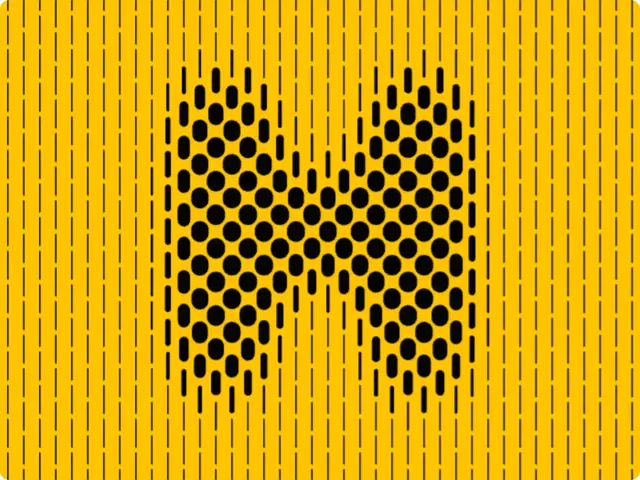
Type a letter: it is drawn with vertical dashed lines that swell where the glyph is. Move your pointer over it and the lines swell, carve or push away.
Make this tool
Opens Blueprint with this request, ready to send or to change:
Kinetic type: a letter drawn with vertical dashed lines that swell and merge into the glyph, with a mouse effect (swell, carve, push), line count, dash length, weight and colors
Free account, no credit card. Try every control on this page; export and keep the tool from your account.
Prefer your own coding agent? Build it with Claude Code, Codex or Cursor: connect your agent.
Presets
- Yellow classic
- Blueprint
- Fine Rose
- Chunky
4 versions made with Letter Dash Lines
The tool’s own output, from the same input as the version above: each of its presets, then other seeds. Every image comes straight from the tool.
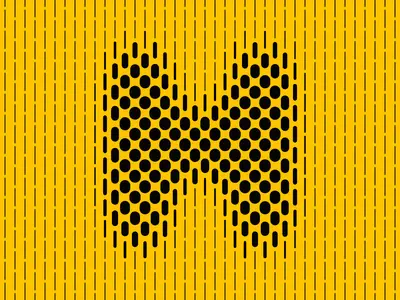
Yellow classic preset 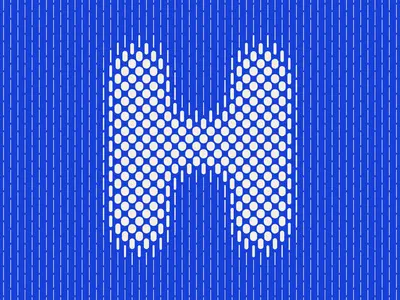
Blueprint preset 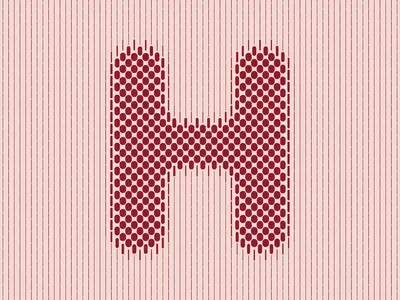
Fine Rose preset 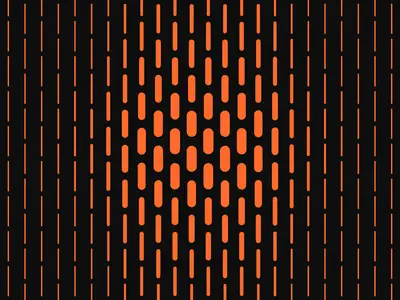
Chunky preset
Try the controls
Every slider, preset and option works here, without an account. To export or keep the tool, create a free account.
What kinetic typography is
Kinetic typography is type that moves: letters that grow, shift, break apart or react. It became familiar through film title sequences, Saul Bass’s titles for North by Northwest (1959) being a classic example, and it is now everywhere in motion design, music videos, social video and interactive websites.
Most kinetic type is animated on a timeline in a motion design app. Generative kinetic type works differently: the letter is drawn by a system of lines, dots or particles, and you play with the system. Every frame is computed, so the type can also respond to the mouse.
How this tool draws the letter
The tool draws your letter in a hidden buffer and softens its edges. Then it draws vertical dashed lines across the whole frame. Where a line crosses the letter it gets thicker, up to the maximum swell, so the glyph appears out of the lines without any outline. The soft edges make the swell gradual, which gives the letter its rounded, halftone-like shading.
Hover adds the motion. In Swell mode the lines thicken under the pointer, in Carve mode they thin, in Push mode they move aside, within the radius and strength you set.
- Letter, Size, Softness and Weight (regular, bold, black): the glyph.
- Lines, Thin weight, Max swell and Dash length: the line system.
- Mouse effect, Radius and Strength: how the letter reacts to the pointer.
- Background and Ink: the two colors.
What designers use it for
- Animated initials and drop caps for brand intros, posters and social posts.
- Interactive website headers where the visitor plays with the letter.
- Title cards and loops in motion pieces, exported as video.
- Still letterforms for print, exported as a single frame.
Tips
Bold and black weights give the lines more room to swell, so the letter reads faster. More lines with a short dash length look like a fine print screen; fewer lines with long dashes look graphic. Raise Softness for rounder shading, lower it for a sharper glyph. The presets are Yellow classic, Blueprint, Fine Rose and Chunky.
Make your own kinetic type tool
Whole words, text that types itself in, letters on a path, type that follows a beat: describe it and Blueprint builds the tool, with sliders, presets and video export.
Questions
Can it animate a whole word?
This tool is built around one large letter. Describe a version for words or sentences and Blueprint builds it.
Can I export kinetic typography as a video?
Yes, once you have your own copy of the tool. Animated tools export a short video, and any frame as a PNG.
Can I use my own typeface?
This tool has three weights of one typeface. Ask your copy of the tool for a typeface control and Blueprint adds it.
More tools
What tool do you need?
Describe it in a sentence. Blueprint builds it with sliders, presets and export. Your first tool is free.
See how it works